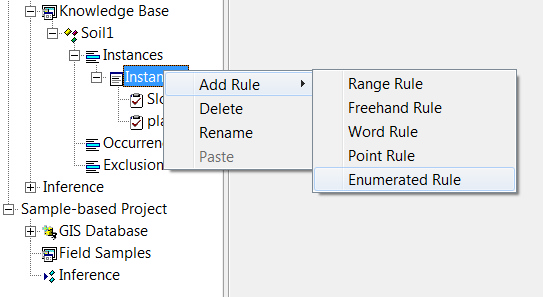
1. Right click on on the instance/occurrence/exclusion which will hold the new rule.In the pop-up menu, select "Add Rule", then select "Enumerated Rule".
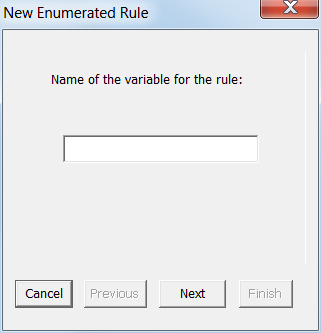
2. Enter the name of the variable for rule (e.g. geology) in the text box. Click on "Next".
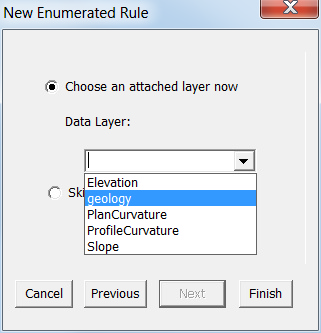
3. If you want to attach a layer now (recommended), check "Choose an attached layer now". The drop down list will list all layers in current GIS Database. Select the layer that you want to attach with the new rule and then click on "Finish" to finish adding the new enumerated rule.
If you do not want to attach a layer now, check "Skip this step" and then click on "Finish" to finish adding the new enumerated rule.
Tips:
1. If you want to go back to the previous step, just click on "Previous".
2. If you want to give up adding the rule, click on "Cancel".